XP600 UV Wall Printer at 2400 DPI: Running Direct-to-Wall Projects
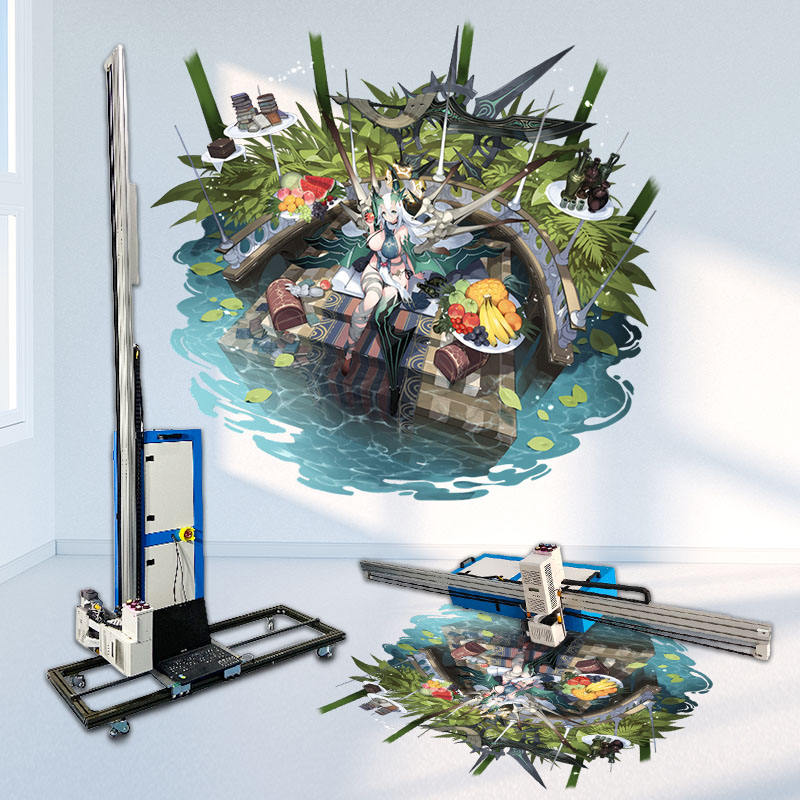
The artwork came back with one note from the client: the fine lines in the crest looked soft. The wall was six metres wide, the room was a lobby, and the file had been printed at the setting we normally use for backgrounds. Resolution on a wall is a decision per job, not a brochure figure.
The XP600 UV wall printer is a button-controlled unit that prints onto prepared vertical surfaces at up to 2400 DPI. Holding that figure across a full wall depends on gap control, pass planning, dust and the inspection distance you agree with the client.
What 2400 DPI Changes on Site
Finer droplets leave less margin for everything around them. The head-to-wall distance must stay constant from skirting to the top of travel. A wall that bows two millimetres will show as a density shift inside a gradient long before it appears as a visible band.
Fine output also exposes the substrate. Skim-coated plaster holds detail well. Filled patches, roller texture and old paint edges all return as pattern, whatever the file contains.
Choosing the Pass for the Wall
• Block colour and backgrounds - wide pass, fastest setting
• Logos and type above 10 mm - standard pass
• Linework, faces, small type - highest setting, slowest
• Full-height gradients - single pass where possible
• Test strip - always before the first panel
Mixing settings across a wall is legitimate when the joins fall on a natural break: a door frame, a corner, a change of colour. Mixing them mid-gradient is not.
Ink Laydown and Colour
A wall drinks ink differently from paper. Set the total ink limit conservatively, then print a gradient strip and look for coalescence, gloss banding, or a wet edge that never fully cures. Too much ink shows as sheen and slow cure; too little as washed-out midtones that look dusty rather than light.
Keep a record of the limit that worked for each substrate. Plaster, concrete and painted drywall each need their own number, and the difference is large enough to matter on a repeat job.
Air, Dust and Cure
Moving air carries dust into wet ink. Close doors and windows, pause ventilation during passes, and keep the floor around the machine clear. UV cure is chemical, not evaporative, so a wall that feels dry to the touch may still be soft under a fingernail. Test a corner before you pack up.
Agreeing Acceptance Before You Print
Fix the viewing distance in writing before the first pass. A wall inspected at 300 mm will never satisfy anyone; one inspected at three metres hides real defects. Most lobby and retail work is judged from two to four metres, so state that and print a sample the client approves on site.
Running the Day
One operator can manage the machine, but not the machine and the client at the same time. Plan panel splits so each stop lands on an architectural line, allow cure time between panels, and leave the last hour for touch-up and cleanup.
Before a wall is committed to a setting, a second opinion is cheap. Describe the substrate, the wall size and the file through https://www.xbh-printer.com/contact and we will say which pass we would start with. Earlier project notes sit in the archive at https://www.xbh-printer.com/news.