
I1600 Printhead: The Mid-Range Choice for UV Flatbed Output
A shop printing 8 mm acrylic awards, 300 pieces a week, brought flatbed work in-house. The first month went well. In the second, colour drifted between Monday and Friday, and the client began returning panels that no longer matched the approved sample.
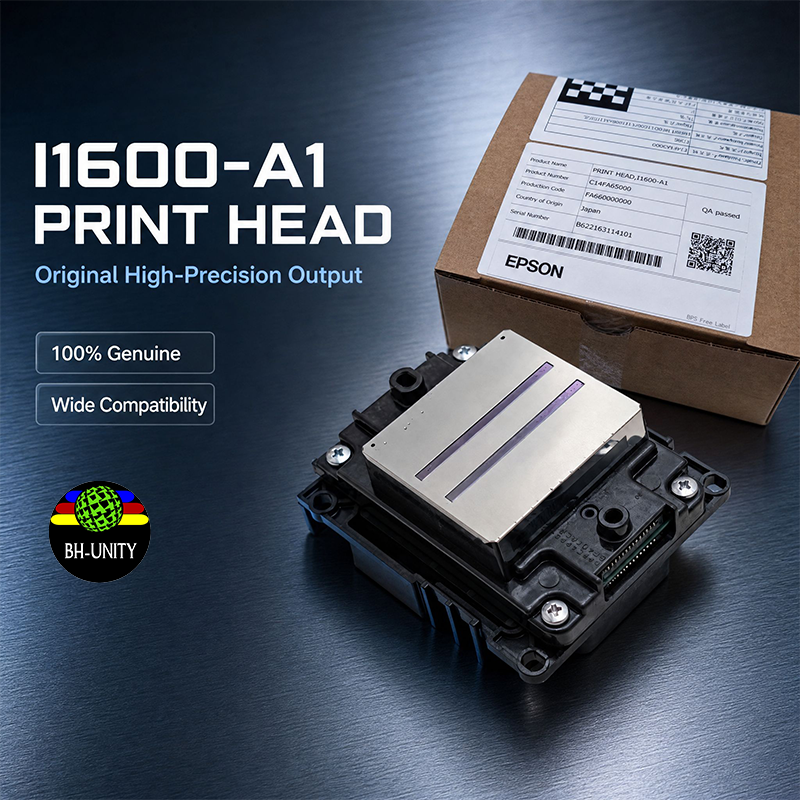
The I1600 printhead sits in the production band where a UV flatbed runs hundreds of rigid pieces a day across mixed substrates: acrylic, coated board, phone cases, small signage. That band has its own demands, and they are mostly about consistency rather than speed.
What Mid-Range Means in Practice
Mid-range describes a workload, not a ranking. It means a shop that prints most days, changes substrates several times a week, and cannot stop for a head swap mid-deadline. The head must hold colour across a run and be serviceable by the operator.
Gap Control on Rigid Media
Rigid substrates are never perfectly flat. Cast acrylic varies in thickness between sheets, coated board bows, and a warped panel will find the head. Set the gap from the highest point of the substrate, not from the platen, and check it at all four corners.
• Measure thickness at four corners before loading
• Set head height from the highest corner
• Confirm vacuum hold before the first pass
• Watch the first 100 mm of every new sheet
• Keep a feeler gauge at the machine, not in a drawer
A head strike rarely destroys a head outright. It bends the plate or damages nozzle rows at one edge, showing as a thin band at the start of every print.
Ink and Cure Balance
UV ink on a flatbed is judged by adhesion and surface, and both are set by the lamp as much as by the head. Under-cured ink feels tacky and picks up dust; over-cured ink turns brittle and chips at cut edges. Adjust lamp power and pass speed together, and test with a tape pull on an offcut rather than a thumbnail.
Gloss control matters on awards and display work. A wet laydown gives a glossy surface; a drier pass gives matte. Decide which the job needs before the first sheet.
Colour Consistency Across a Run
Drift across a week is normal. Linearise the machine, print a control strip at the start of each shift, and compare it with the approved sample under the same light. If it is off, correct the profile before printing sellable stock.
Keep the approved sample in a drawer, not on a wall. A print that has been fading in daylight for three months is not a reference.
Care Between Jobs
Cap the head whenever the machine will be idle for more than a few minutes. Clean the plate only by the approved method, and never dry. Keep the capping station clean enough that a seal is visible, and replace the cap when it hardens rather than when it fails.
Matching the Head to the Machine
Confirm the voltage class, firmware and head rank before fitting a replacement. A head correct for one machine can be wrong for another with the same model number, and the mismatch shows as weak drops that purging will not fix.
If colour drift or a persistent band has you replacing parts one at a time, send a nozzle check and a photo of the affected print through https://www.xbh-printer.com/contact before the next order. Flatbed process notes are collected at https://www.xbh-printer.com/news.